

iAM Smart - Cross-boundary Public Services
Introduction
To use the cross-boundary public service, "iAM Smart" users need to register a "Cross-boundary Public Services" account and bind it with the "iAM Smart" account, please prepare:

Mainland Travel Permit for Hong Kong and Macao Residents

Chinese Mainland mobile number to receive SMS

Install "WeChat" App and complete the registration
(Except Suishenban App)
(Except Suishenban App)


- Guangdong Government Service Network
- Yue Sheng Shi(粤省事)
- iShenzhen(i深圳)
- Suishenban App(隨申辦)
- Government Online-Offline Shanghai(一網通辦)
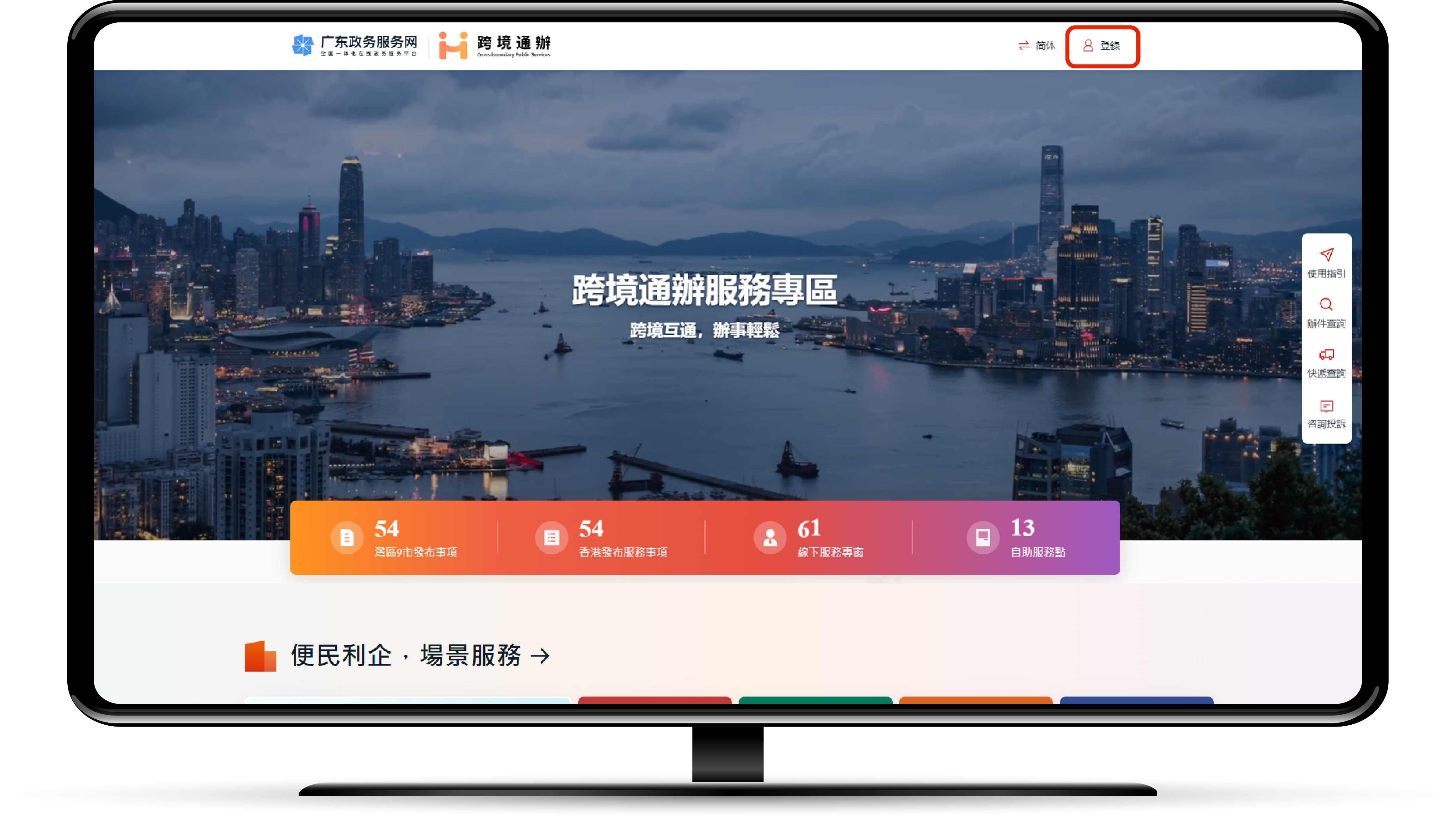
Visit the "Cross-border Public Services" thematic webpage of the "Guangdong Government Service Network" and click the "Login" button
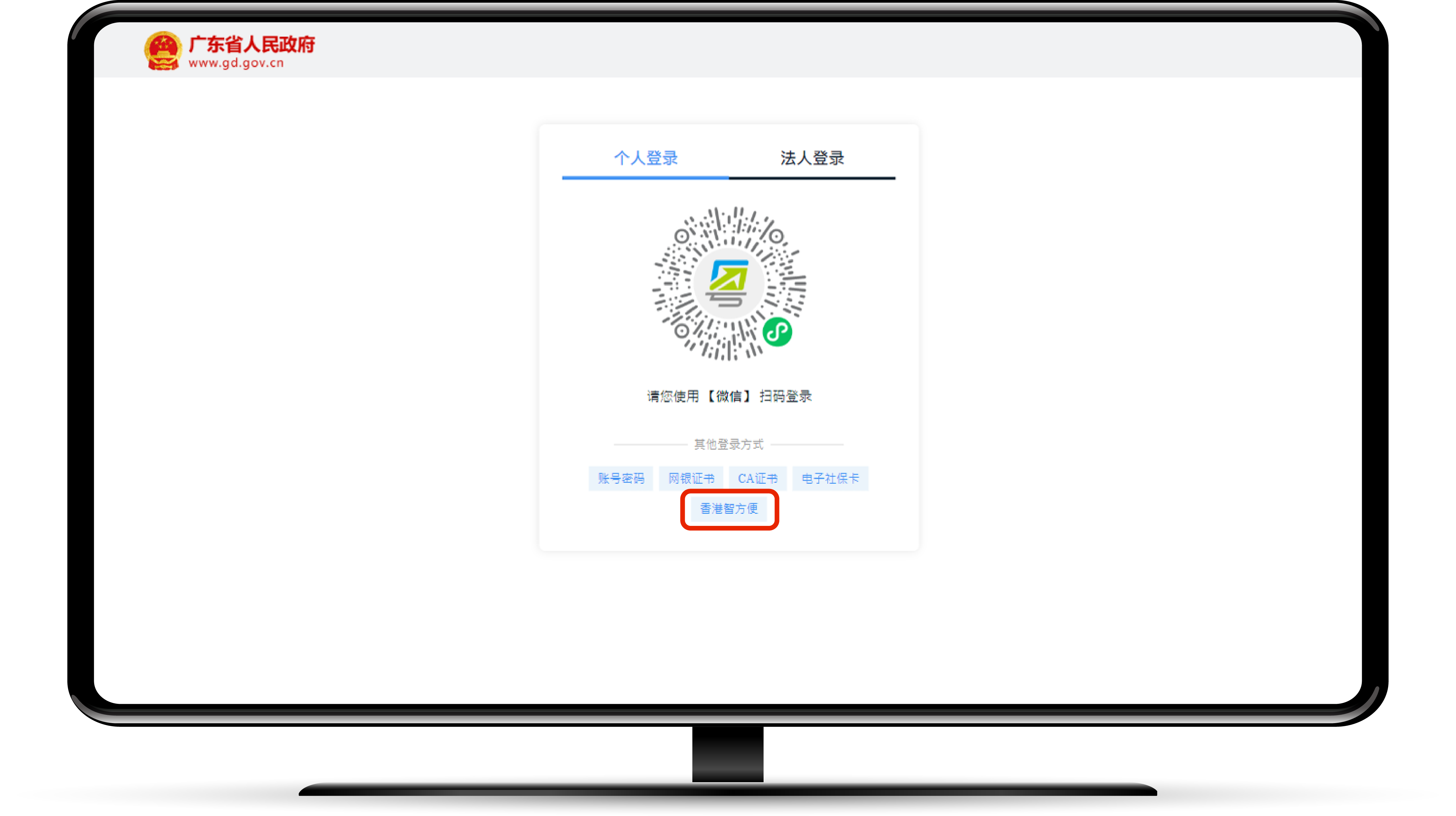
Click the "iAM Smart" button on the "User Login" page
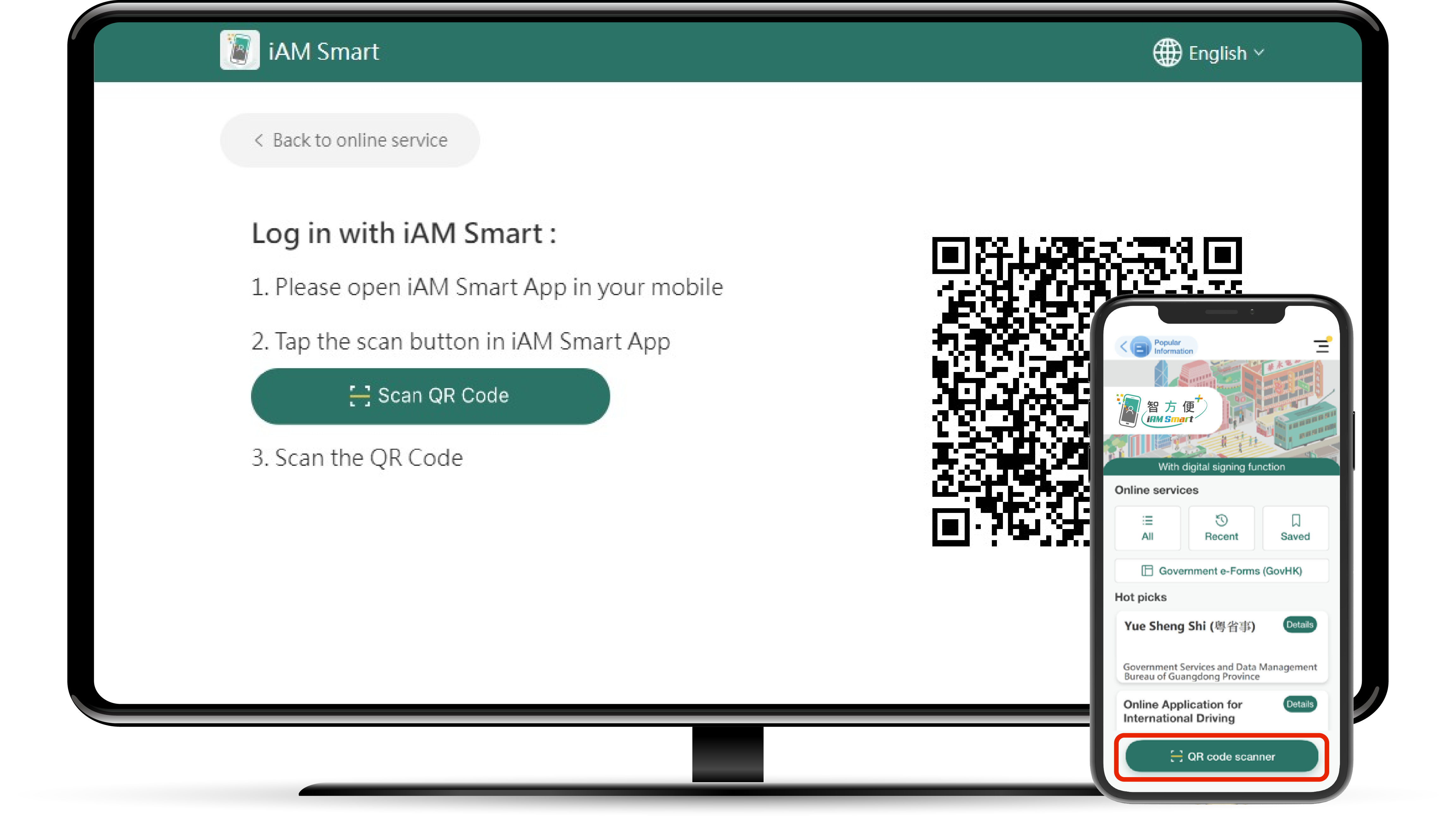
Login to the "iAM Smart" mobile app and click the "Scan QR Code" button to scan the QR code on the page
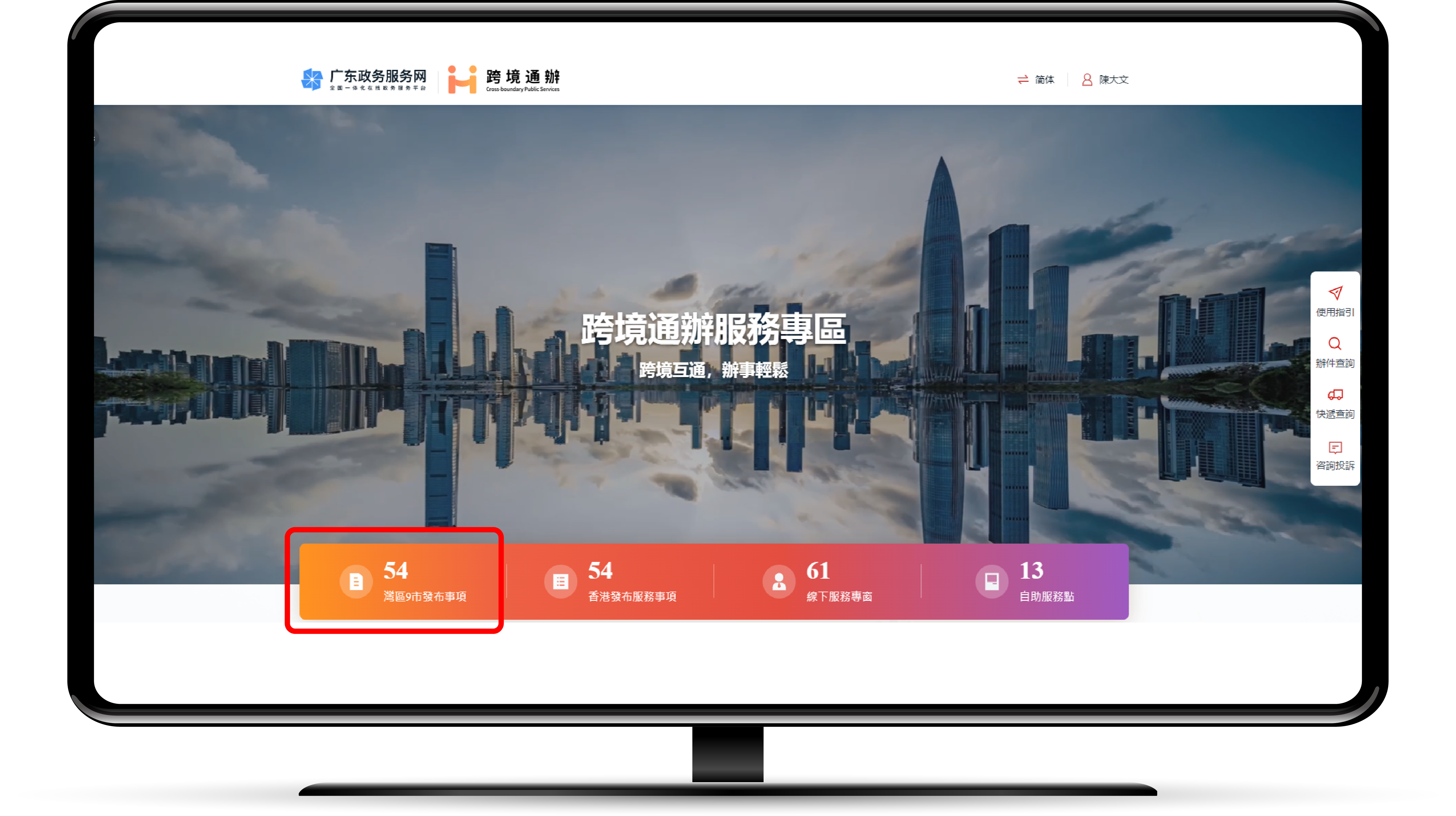
Finish logging in to the "Cross-border Public Services" thematic webpage and click the "灣區9市發布事項" to select the required service
Login to "iAM Smart" mobile app and click "Search"
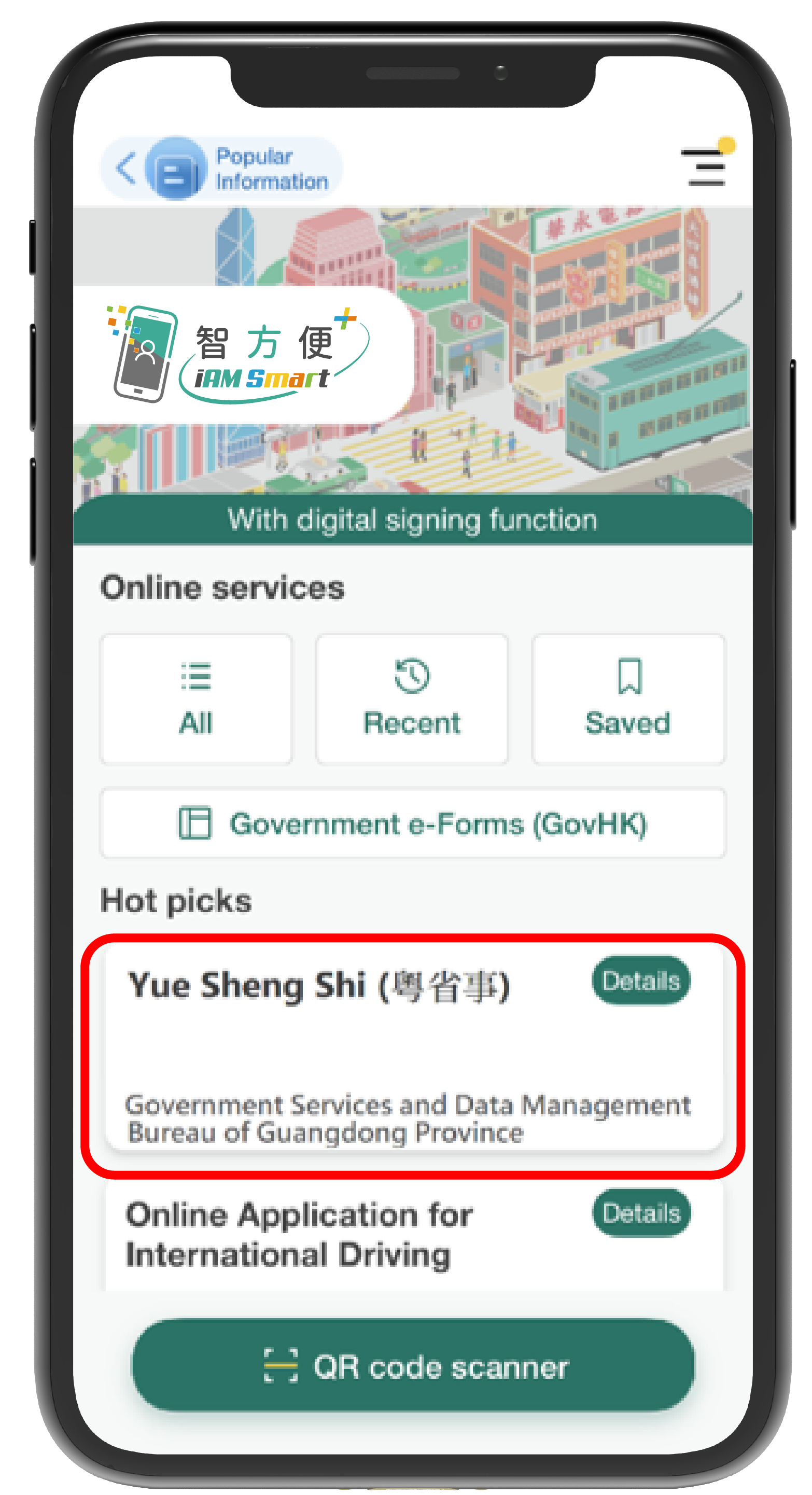
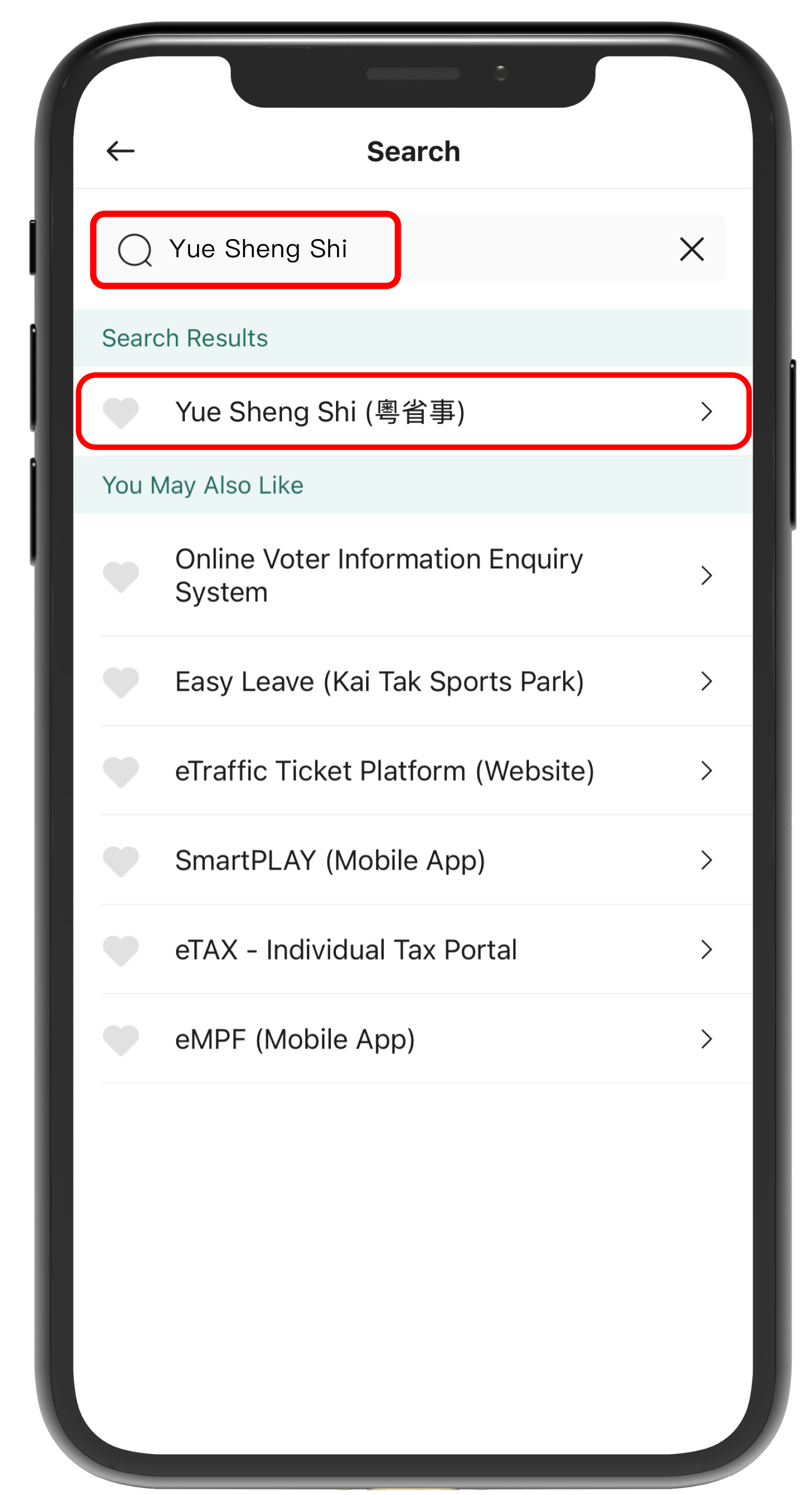
Input "Yue Sheng Shi" in the search area, and click " Yue Sheng Shi" to open the "Yue Sheng Shi" mobile app
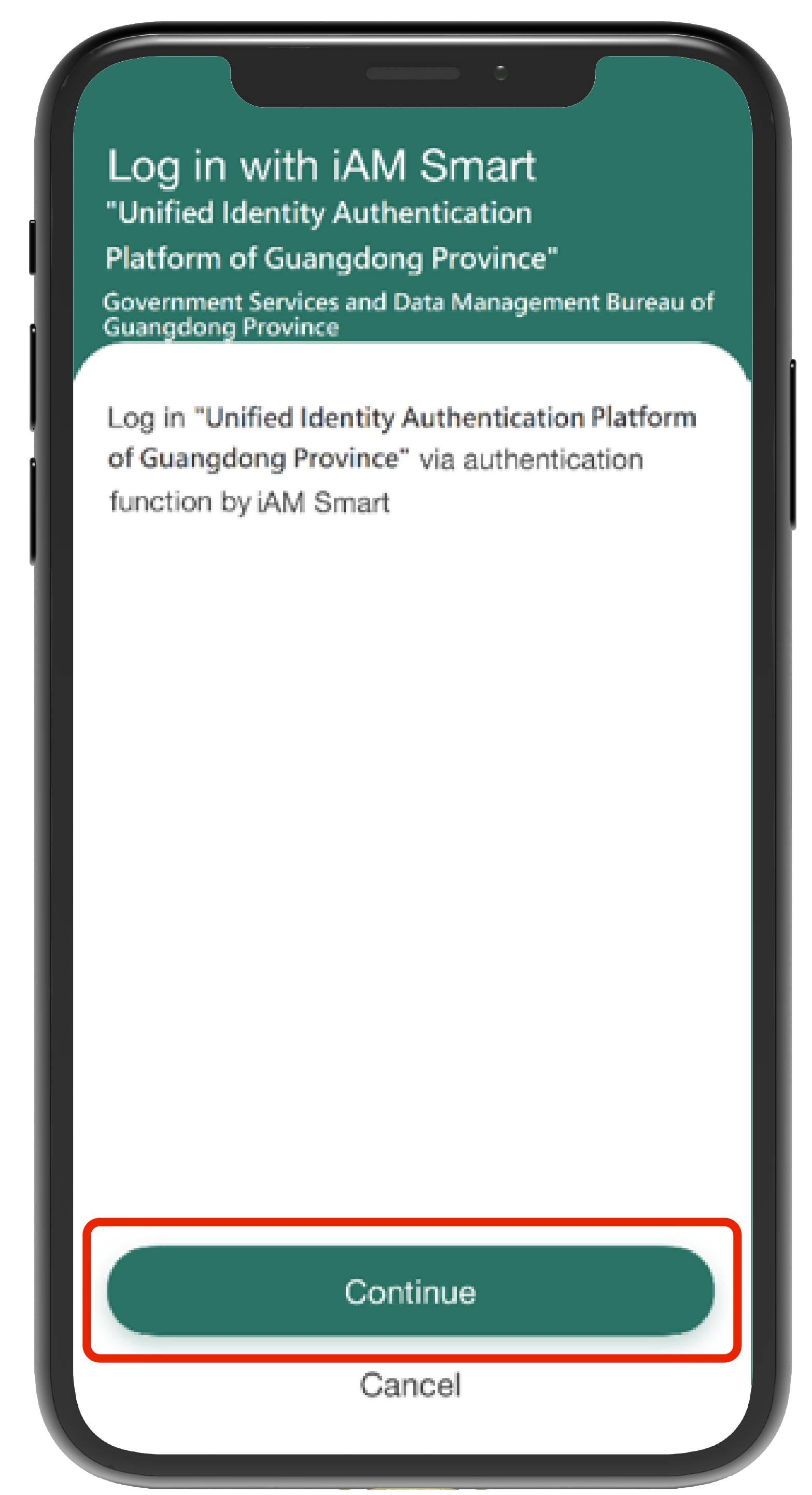
Click the "Continue" button
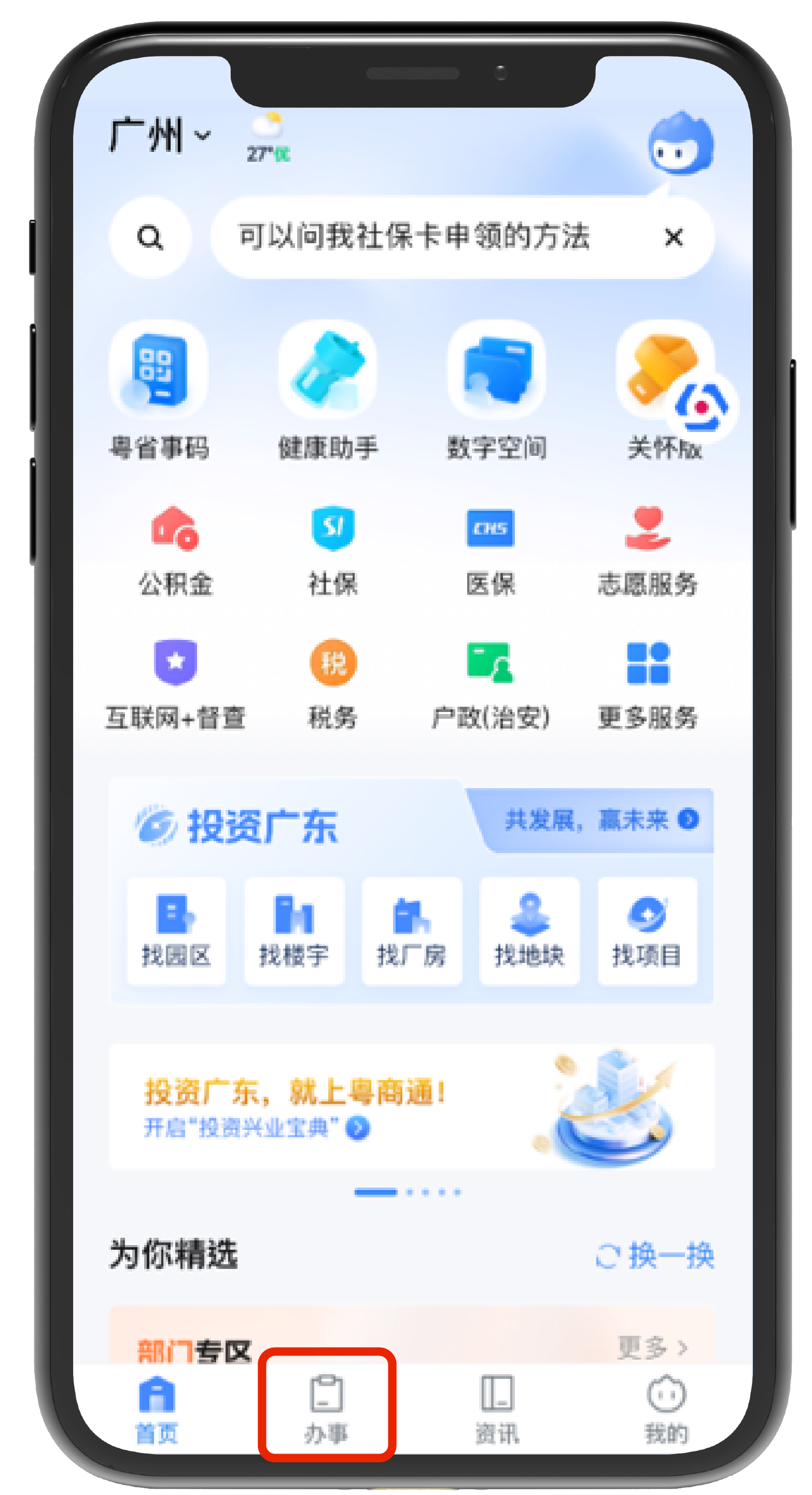
Successfully login "Yue Sheng Shi", then click "Service"
Click "Topic" - "Cross-boundary Public Services" on the "Service" page
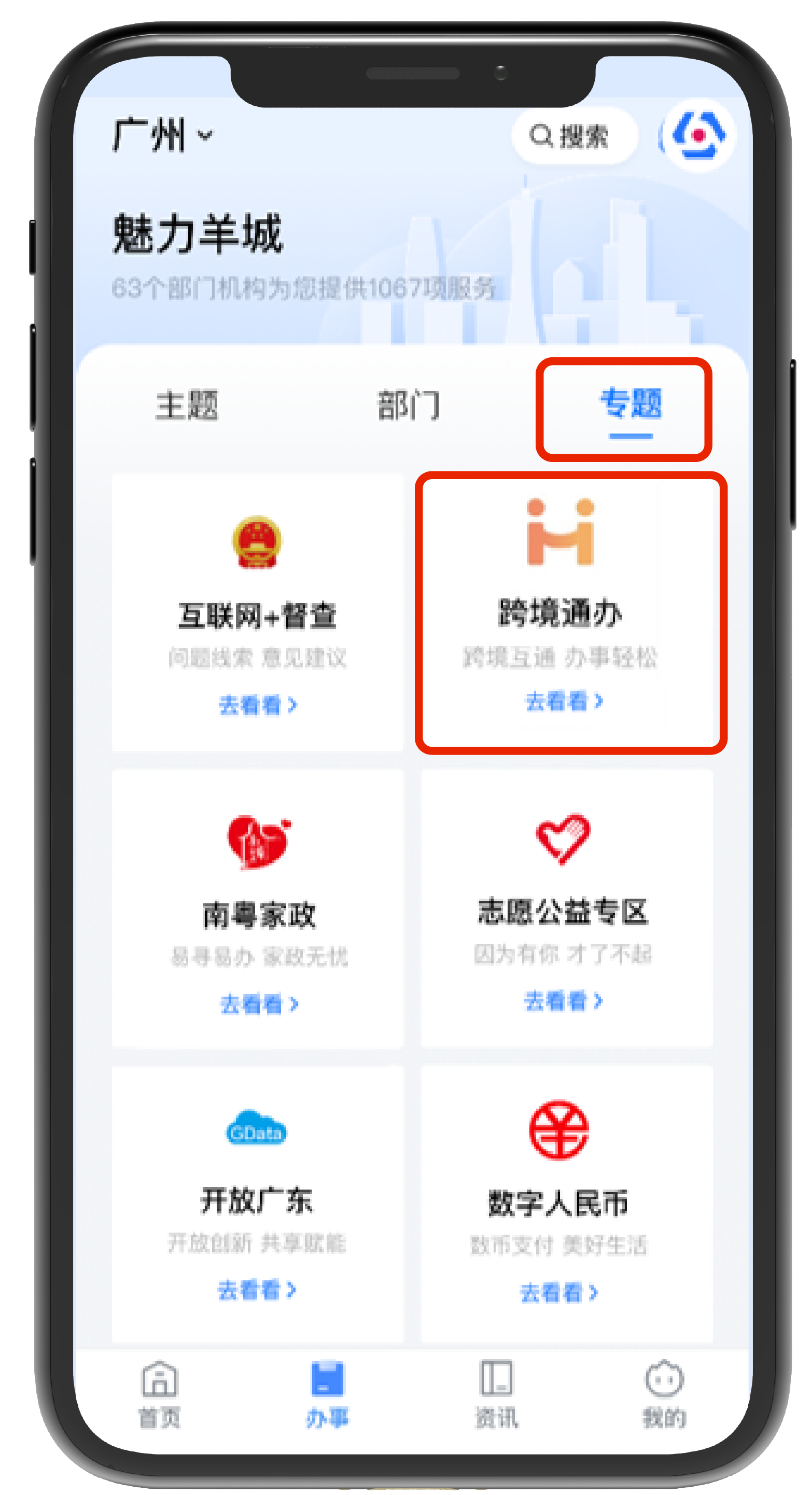
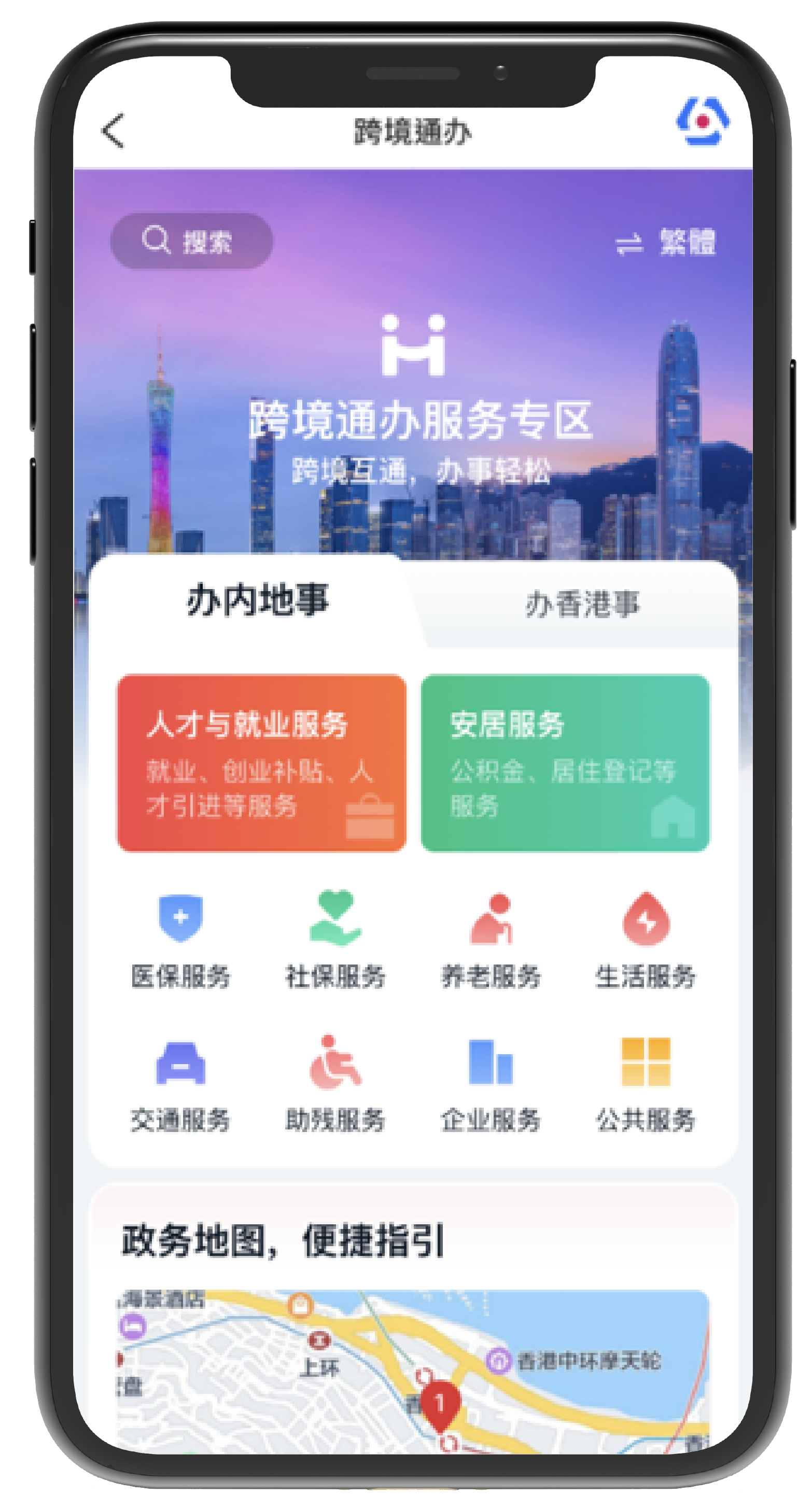
Enter the "Cross-boundary Public Services" portal and select the required service
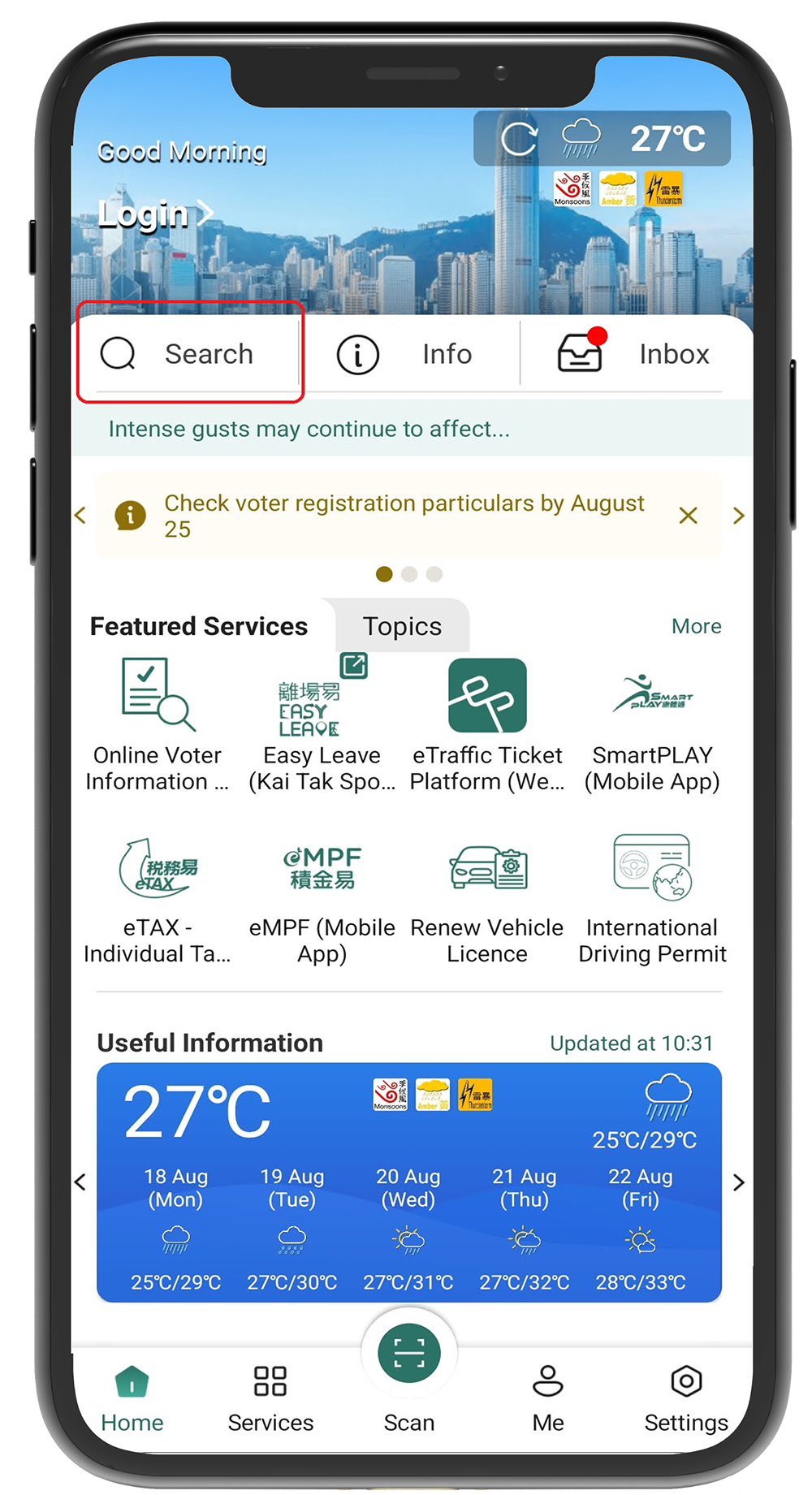
Login to "iAM Smart" mobile app and click "Search"
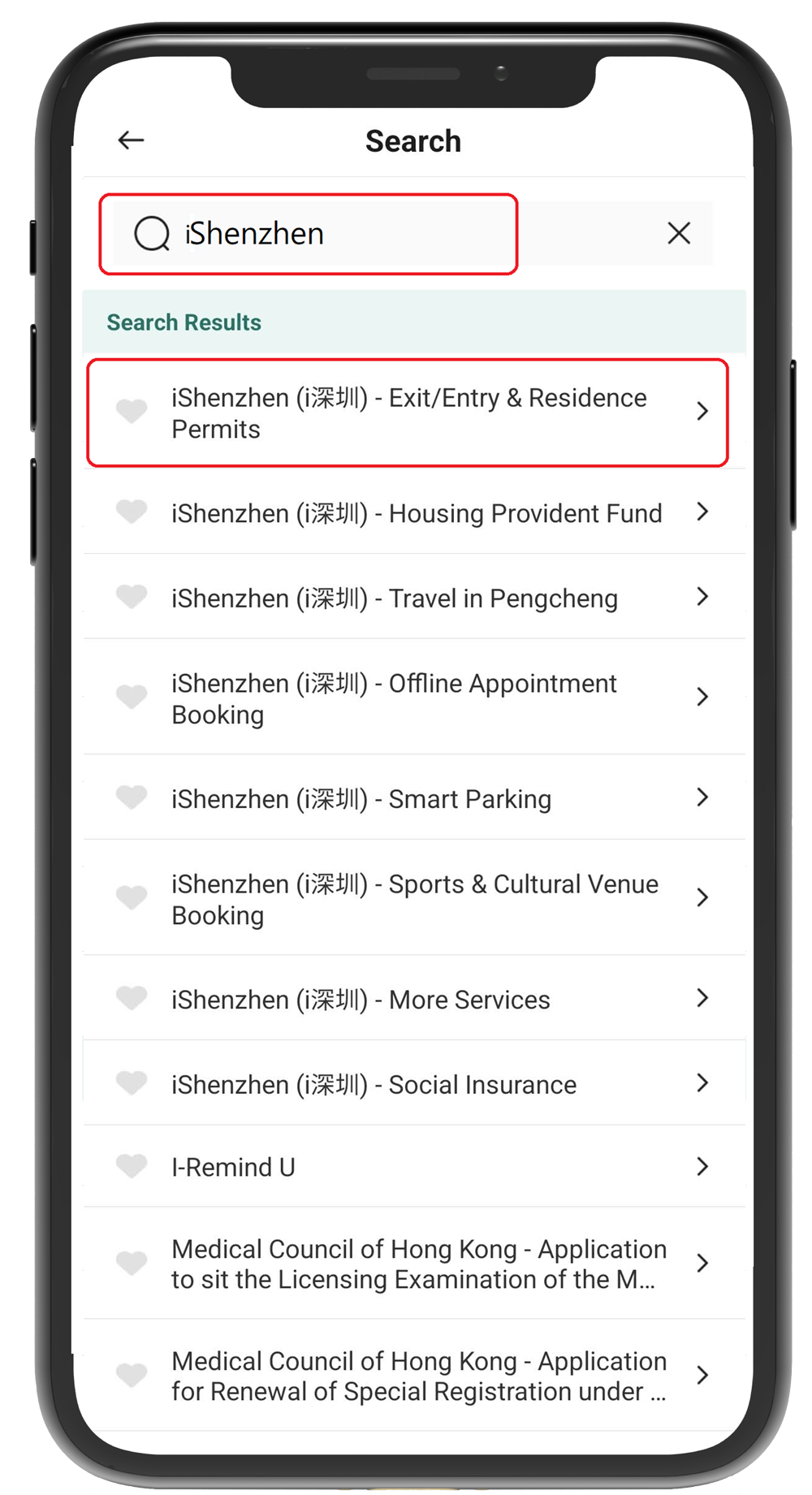
Input "iShenzhen" in the search area, and click the required online service to open the "iShenzhen" mobile app. The "iAM Smart" has connected to Exit/Entry & Residence Permits, Housing Provident Fund, Travel in Pengcheng, Offline Appointment Booking, Smart Parking, Sports & Cultural Venue Booking, Social Insurance and More Services of "iShenzhen".
The "iShenzhen" mobile app is automatically login with "iAM Smart" and redirected to the respective online service
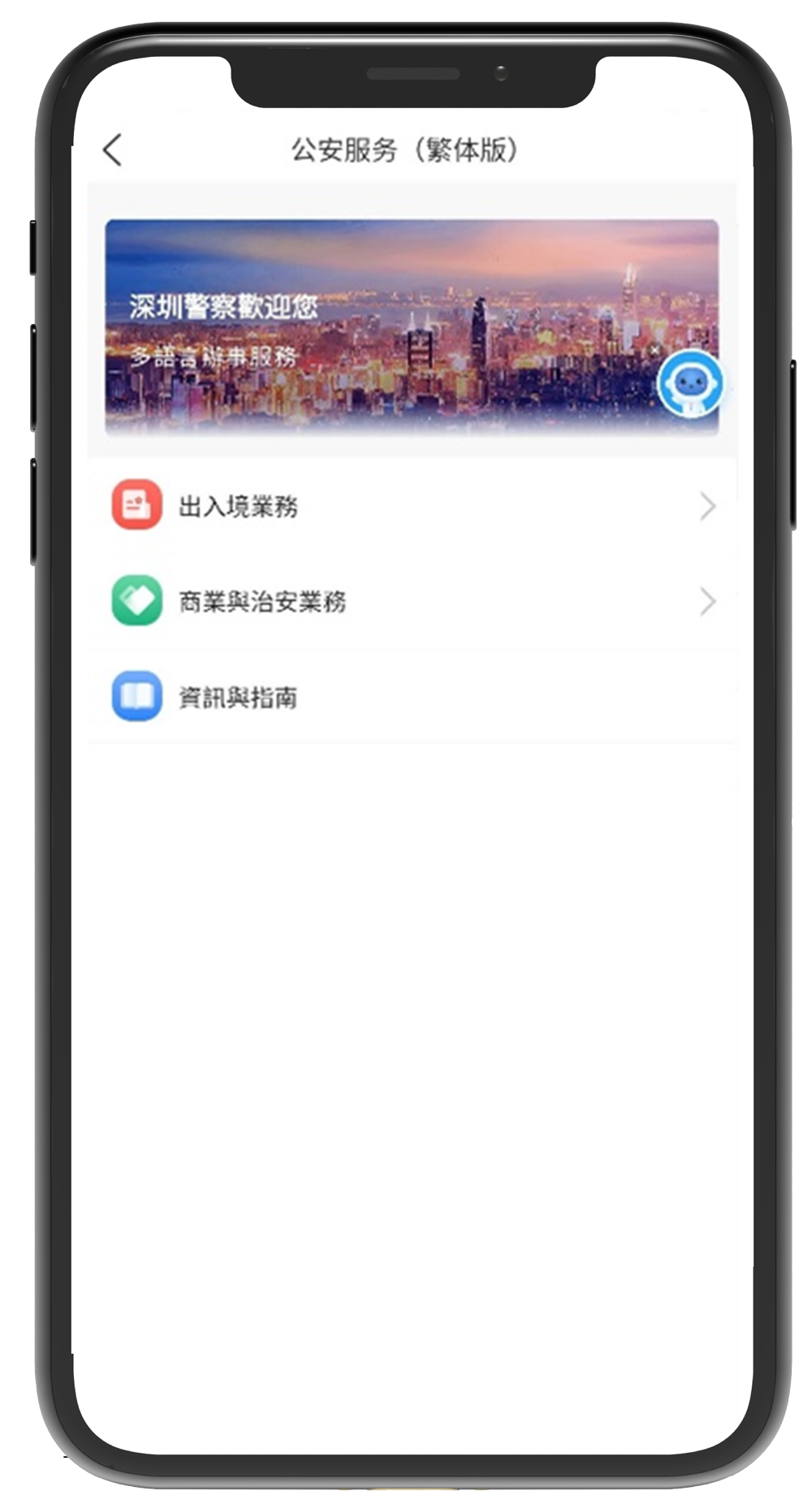
Login to "iAM Smart" mobile app and click "Search". 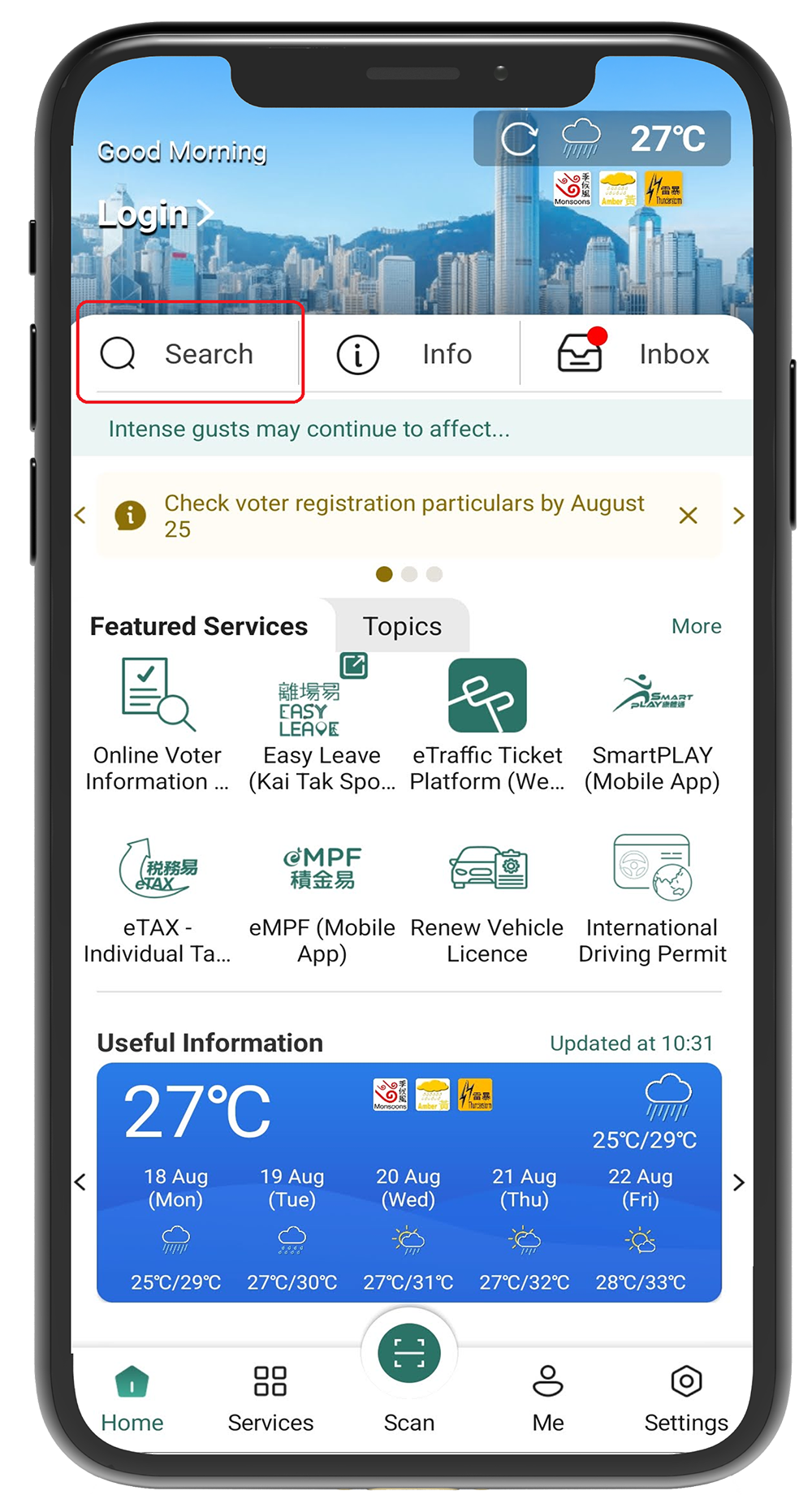
Input "Suishenban App" in the search area, and click the required online service to open the " Suishenban App" mobile app. The "iAM Smart" has connected to Book Appointment for Marriage Registration of "Suishenban App". 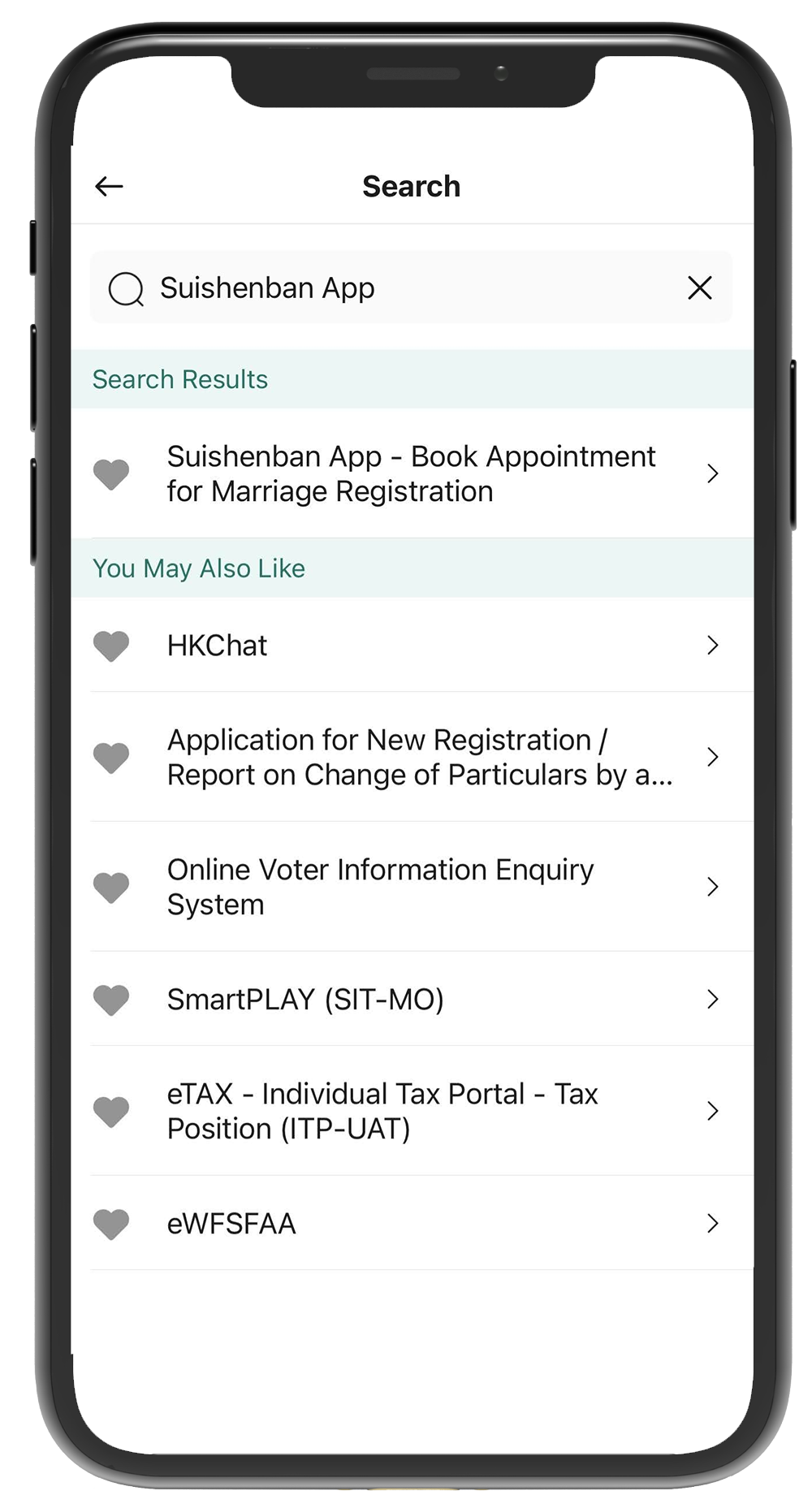
The "Suishenban App" mobile app automatically logins with "iAM Smart" and is redirected to the respective online service.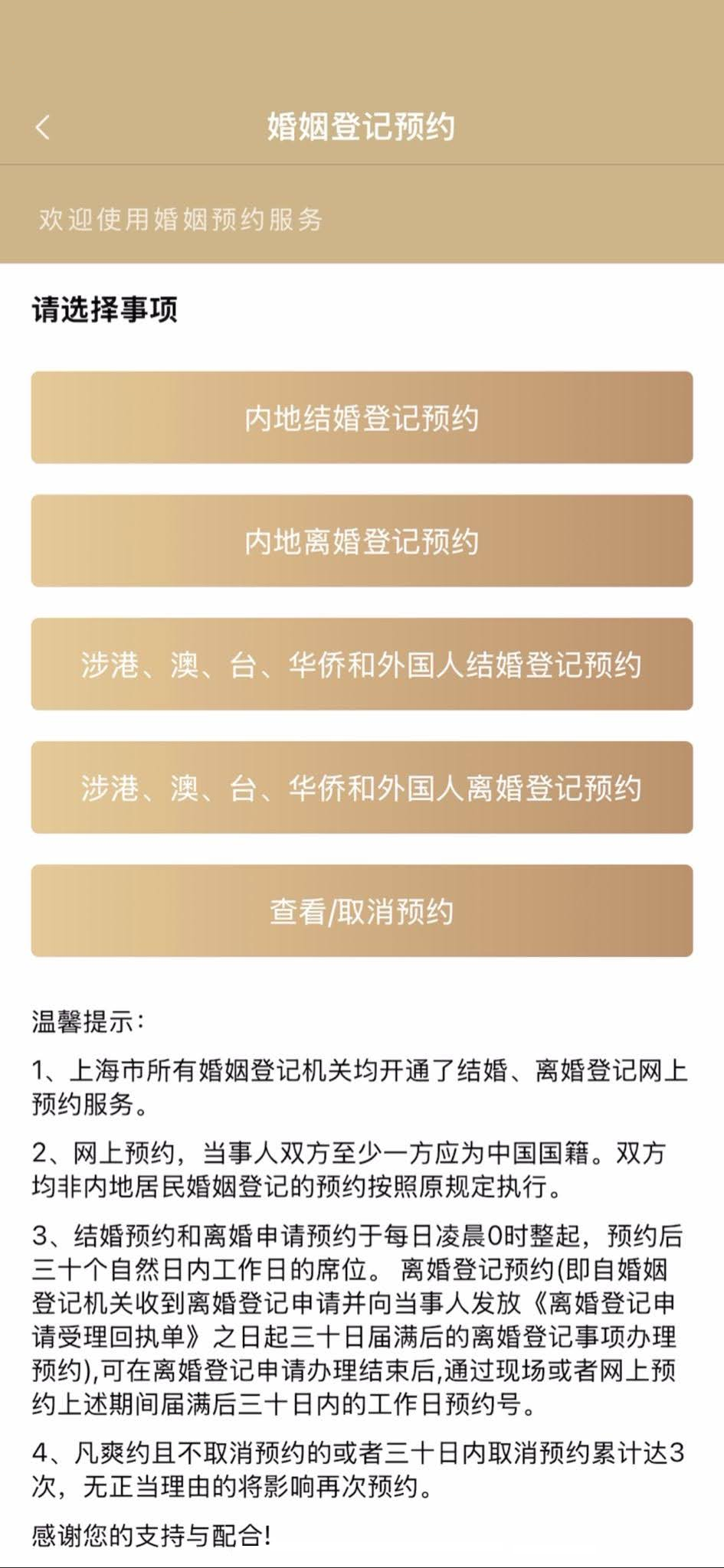
Visit the "Government Online-Offline Shanghai" thematic webpage and click the "Login" button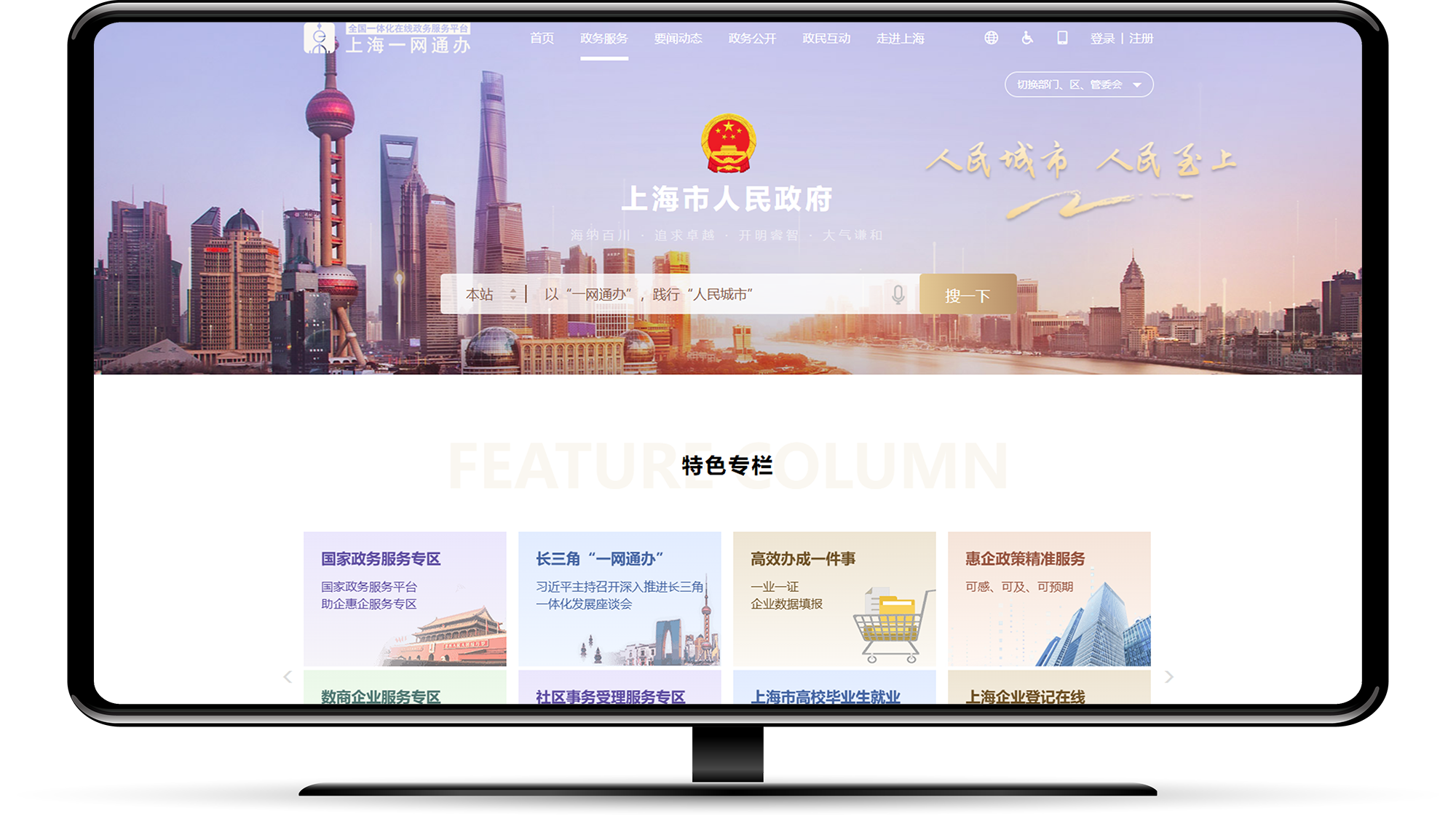
Click the "Alternative login option" button on the "User Login" page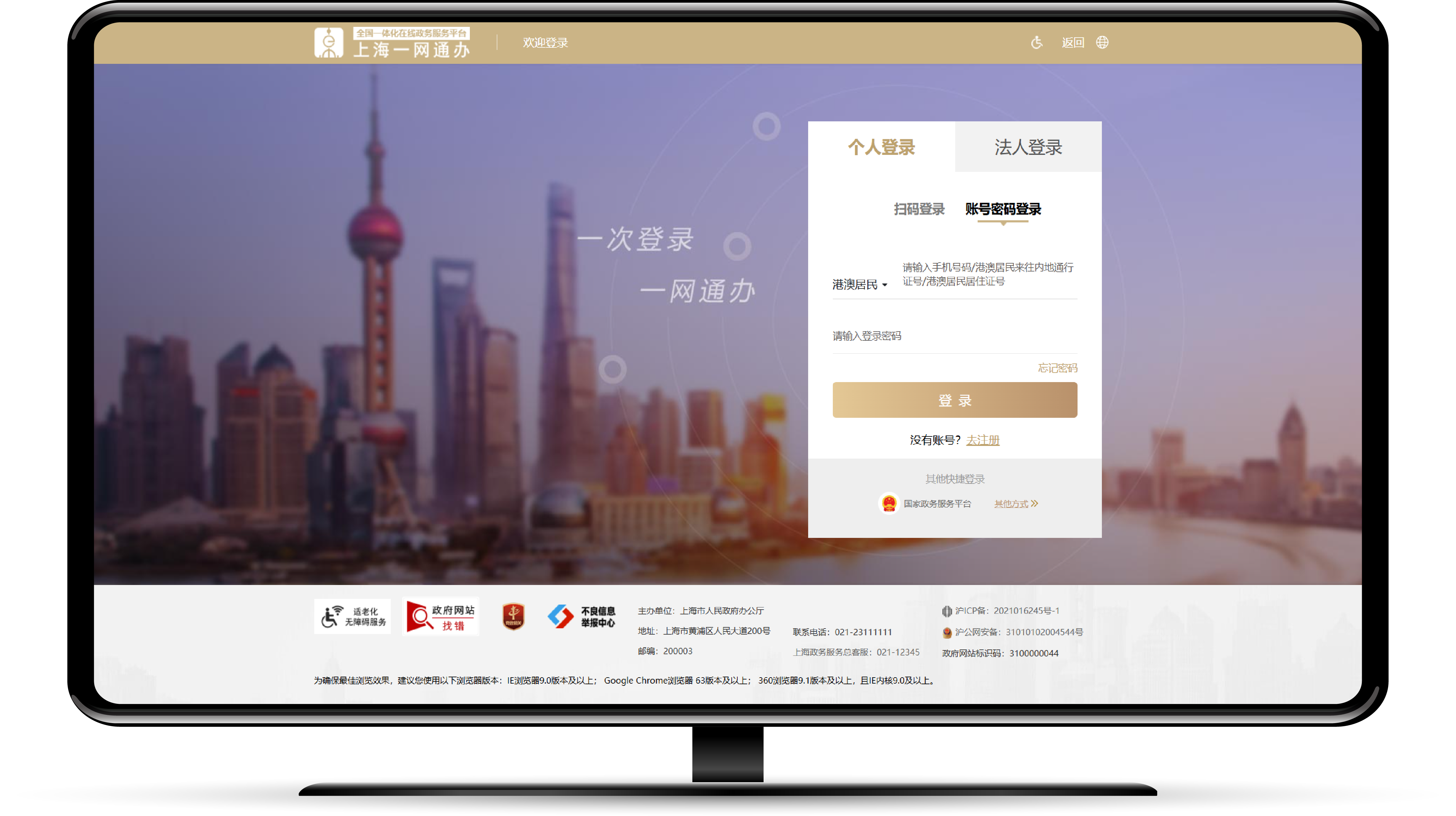
Click the "iAM Smart" button
Login to the "iAM Smart" mobile app and click the "Scan QR Code" button to scan the QR code on the page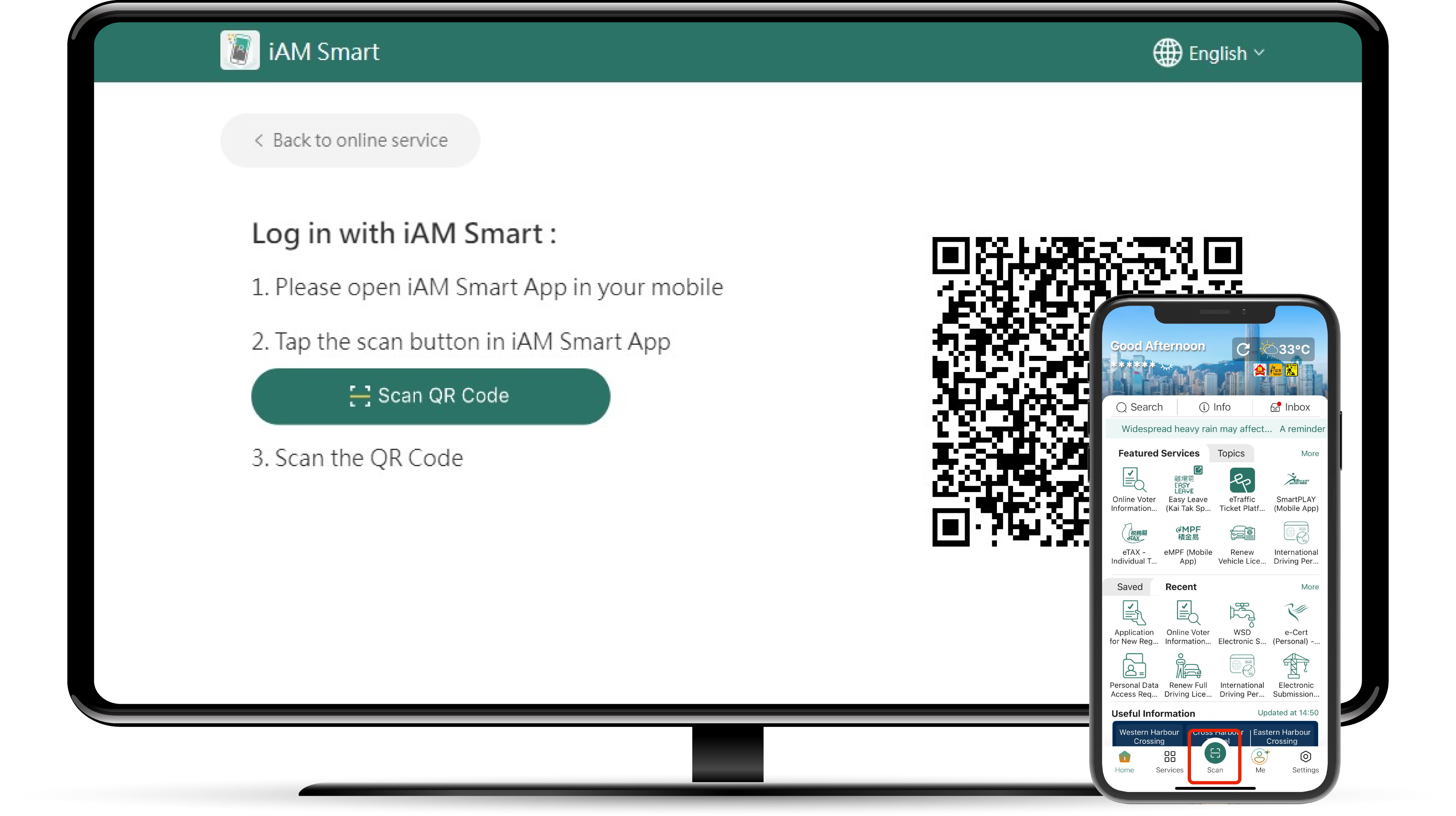
Finish logging in to the "Government Online-Offline Shanghai" thematic webpage and select the required service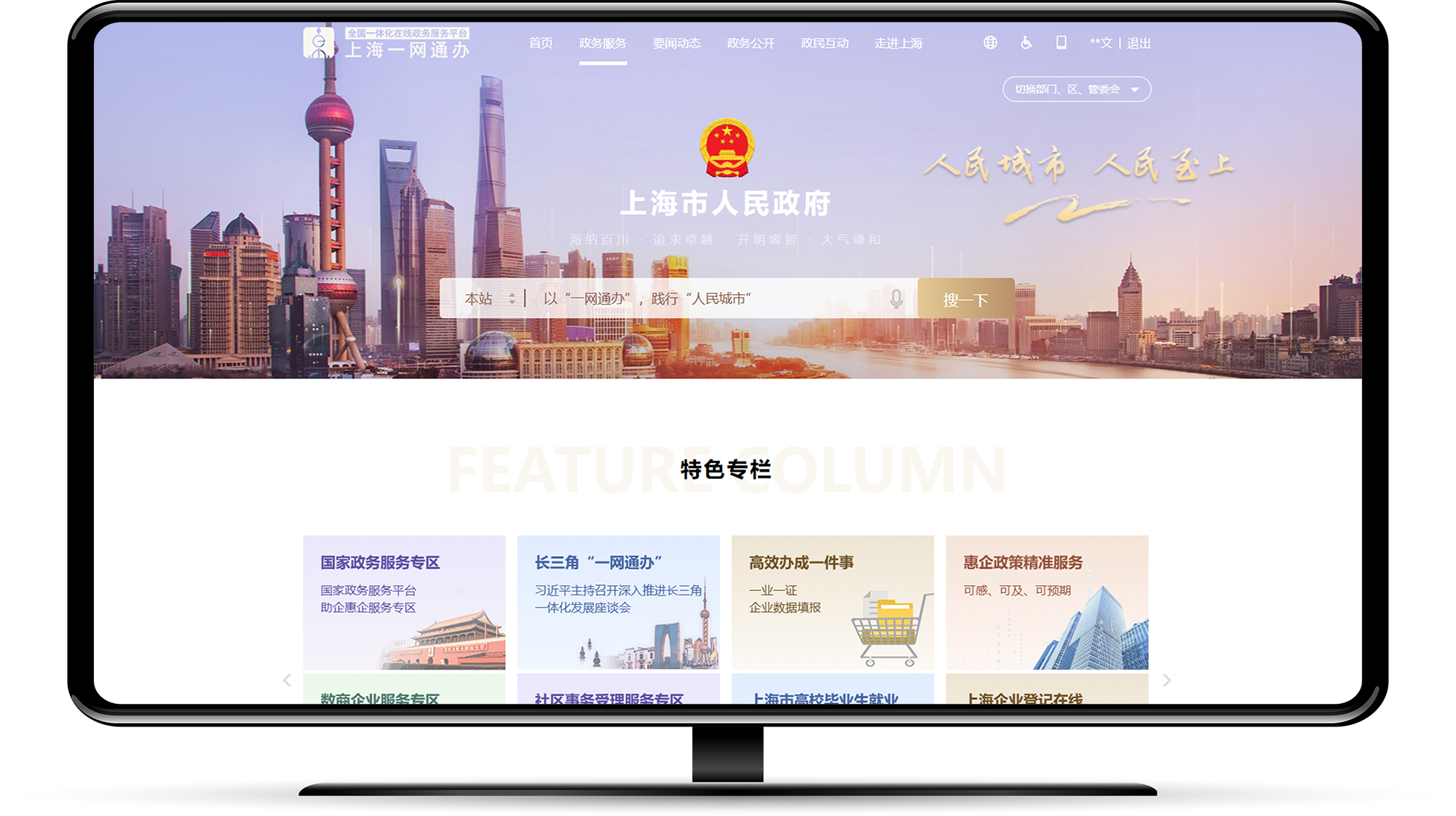
Service Catalogue
Filter
Functions
 Authentication
 "e-ME" Form Filling
 Personalised Notifications
 Digital Signing
"Cross-boundary Public Services"
Function
Remark:
| [1] | When using "iAM Smart" to access the Guangdong "Cross-boundary Public Services", the "iAM Smart" system will pass a "system identifier" to the "Unified Identity Authentication Platform of Guangdong Province" for identity authentication purpose, without using any personal information. |
| [2] | To use "iShenzhen" with "iAM Smart", please install "iShenzhen" version 5.0.0 or above. |
| [3] | When using "iAM Smart" to access the Shanghai "Cross-boundary Public Services", the "iAM Smart" system will pass a "system identifier" to the "Suishenban App" for identity authentication purpose, without using any personal information. |
Frequently Asked Questions
General
Q1
Can "iAM Smart" support the "Cross-boundary Public Services"?
A1
Through the interconnection of the "iAM Smart" and "Cross-boundary Public Services", Hong Kong residents can use the government services in an easy and convenient manner.
Note:
- Guangdong Province: "iAM Smart" user shall link up with "Unified Identity Authentication Platform of Guangdong Province"
- Shanghai Municipal: "iAM Smart" user shall link up with "Suishenban App"
Note:
- Guangdong Province: "iAM Smart" user shall link up with "Unified Identity Authentication Platform of Guangdong Province"
- Shanghai Municipal: "iAM Smart" user shall link up with "Suishenban App"
Q2
When login to the "Cross-boundary Public Services" via "iAM Smart", what information will be transmitted to the platform?
A2
A "system identifier" will be encrypted and transmitted by the "iAM Smart" system to the "Cross-boundary Public Services" platform for the identity authentication purpose. The "system identifier", an identifier generated by the "iAM Smart" system, is used to authenticate the identity of the "iAM Smart" users for individual online services, enabling the corresponding online service providers to identify users without the need of using other personal information, such as Hong Kong Identity Card number and name, etc.
Q3
When using some of the government services of the "Cross-boundary Public Services", there is a message showing the identity document used is not supported or a legal personality is required? Why?
A3
Each "Cross-boundary Public Services" clearly stipulates the types of documents required for the application of the services. Users need to have specific identities required to use the corresponding public services. The required documents to be submitted have been specified in the service guides. For instance, a corporate business requires a legal entity identity to log in. Users need to pay attention to the relevant information and requirements; when using the "Cross-boundary Public Services" platform, they must log in with the required identity to access the related services.
Q4
Can I use the "Cross-boundary Public Services" platform without a Chinese Mainland mobile number and a Mainland Travel Permit for Hong Kong and Macao Residents (回鄉證)?
A4
When registering for the "Cross-boundary Public Services" platform, users must receive a verification code via a Chinese Mainland mobile number. Therefore, users must own a Chinese Mainland mobile number to register for an account on the platform.
Accounts on the "Cross-boundary Public Services" platform must use the Mainland Travel Permit for Hong Kong and Macao Residents (回鄉證) as the identity document to complete registration. Additionally, Suishenban also supports registration using the Residence Permits for Hong Kong, Macao and Taiwan Residents (居住證).
Please note that each "iAM Smart" account can only be linked to one account on the "Cross-boundary Public Services" platform.
Accounts on the "Cross-boundary Public Services" platform must use the Mainland Travel Permit for Hong Kong and Macao Residents (回鄉證) as the identity document to complete registration. Additionally, Suishenban also supports registration using the Residence Permits for Hong Kong, Macao and Taiwan Residents (居住證).
Please note that each "iAM Smart" account can only be linked to one account on the "Cross-boundary Public Services" platform.
Q5
Can I bind to only one "Cross-boundary Public Services" platform and then log in to other provinces' "Cross-boundary Public Services" platforms?
A5
No, because each "Cross-boundary Public Services" government platform has its own system. Users must complete registration on each province's government platform to use the services of that platform.
Q6
Does "Cross-boundary Services" support the "Mainland Travel Permit for Hong Kong and Macao Residents (Non-Chinese National)"?
A6
Each "Cross-boundary Services" government platform has different document requirements. If you encounter issues during the registration process, please inquire with the respective platform for the latest handling requirements.
Guangdong Province Cross-boundary Public Services
Q1
How can I use various "Cross-boundary Services" government services through "iAM Smart"?
A1
Users only need to register an account on the "Unified Identity Authentication Platform of Guangdong Province" and perform a one-time linking with "iAM Smart". After that, they can log in to the "Guangdong Government Service Network" using "iAM Smart". After registration and linking, users can also log in to the "Yue Sheng Shi" mobile app and the "iShenzhen" mobile app. For detailed account registration and linking procedures, please refer to the section “Registration and Link up”.
Note:
"iAM Smart" can be linked to personal accounts registered with the "Mainland Travel Permit for Hong Kong and Macao Residents" (回鄉證) on the "Unified Identity Authentication Platform of Guangdong Province". However, some services on the "Guangdong Government Service Network" require a legal entity identity account to be used.
Note:
"iAM Smart" can be linked to personal accounts registered with the "Mainland Travel Permit for Hong Kong and Macao Residents" (回鄉證) on the "Unified Identity Authentication Platform of Guangdong Province". However, some services on the "Guangdong Government Service Network" require a legal entity identity account to be used.
Q2
What is the "Unified Identity Authentication Platform of Guangdong Province"?
A2
To learn more about the "Unified Identity Authentication Platform of Guangdong Province", you may click here to access the "Guangdong Government Service Network" for more information.
Q3
Which government services of the Guangdong Province are included in the "Cross-boundary Public Services"?
A3
Please click here to view the details of the services on the "Guangdong Government Service Network". Generally, any service that supports login via the "Unified Identity Authentication Platform of Guangdong Province" can be accessed using "iAM Smart". However, some government services in Guangdong and Shenzhen, due to platform application or user qualification restrictions, currently do not offer the "iAM Smart" login option.
Q4
My "Unified Identity Authentication Platform of Guangdong Province" account is registered with my "Residence Permit for Hong Kong, Macao and Taiwan Residents". Can I link that account to "iAM Smart"?
A4
No. Currently, users can only link their "iAM Smart" account to their personal account registered with the "Mainland Travel Permit for Hong Kong and Macao Residents" on the "Unified Identity Authentication Platform of Guangdong Province".
Q5
"iAM Smart" has connected to which "Cross-boundary Public Services" of "iShenzhen" (i深圳)?
A5
"iAM Smart" has connected to Exit/Entry & Residence Permits, Housing Provident Fund, Travel in Pengcheng, Offline Appointment Booking, Smart Parking, Sports & Cultural Venue Booking, Social Insurance and More Services of "iShenzhen".
Q6
I use "iAM Smart" to login to the "Guangdong Government Service Network", "Yue Sheng Shi" (粵省事) mobile app, or "iShenzhen" (i深圳) mobile app in order to use the government services of the Guangdong Province or the Shenzhen City, but some of the services still need to be used through WeChat. Why?
A6
Currently, some government services of the Guangdong Province still require a secondary identity verification through WeChat due to operation and security requirements. In addition, the application processing systems of various cities are different and users are thus required to handle applications through WeChat. Users may refer to the guides to the various services of the Guangdong Province and the Shenzhen City on the "Guangdong Government Services Website" and "iShenzhen" for details.
Q7
Can I login to the "Yue Sheng Shi"′s (粵省事) or "iShenzhen"′s (i深圳) WeChat mini-programs via "iAM Smart"?
A7
No. Due to the limitations of the WeChat mini-program platform, the "Yue Sheng Shi" and "iShenzhen" mini-programs cannot be logged in using "iAM Smart". Users can log in to the "Yue Sheng Shi" and "iShenzhen" mobile apps using "iAM Smart".
Q8
I have logged in to the "Unified Identity Authentication Platform of Guangdong Province" for accessing the "Guangdong Government Service Network", "Yue Sheng Shi" (粵省事) and "iShenzhen" (i深圳) via "iAM Smart", why are some of the "Cross-boundary Public Services" still unavailable for use?
A8
The requirements for "Cross-boundary Public Services" provided by various departments in the Guangdong Province and the Shenzhen City are different, please click here to view the details of these services.
If further assistance is needed, please make enquiries through the channels below:
If further assistance is needed, please make enquiries through the channels below:
- "Guangdong Government Service Network" - Intelligent Consultation (智能諮詢) (Simplified Chinese only)
- "Intelligent Assistant" (「智能助手」) function in "Yue Sheng Shi" (粵省事) (Simplified Chinese only)
- "Intelligent Customer Service" (「智能客服」) function in "iShenzhen" (i深圳) (Simplified Chinese only)
- Service Hotline (+86) 020-12345
Shanghai Municipal Cross-boundary Public Services
Q1
What is "Suishenban App"?
A1
"Suishenban" App is a Shanghai government platform where users can handle various government affairs anytime, anywhere, and on-the-go. To learn more about "Suishenban" App, please click here to visit Shanghai's "一網通辦" website.
Q2
What Shanghai government services are included in the "Cross-boundary Public Services"?
A2
Please click here to view the details of the services on Shanghai's "一網通辦". Users only need to log in with "iAM Smart" to access Shanghai services. However, some government services, due to platform application or user qualification restrictions, currently do not offer the "iAM Smart" login option.
Q3
Can I log in to the "Suishenban" mini-program through "iAM Smart"?
A3
No. Due to the limitations of the mini-program platform, the "Suishenban" mini-program cannot be logged in with "iAM Smart". Users can log in to the "Suishenban" mobile app using "iAM Smart".
Q4
I have logged in to Shanghai's "一網通辦" through "iAM Smart". Why are some "Cross-boundary Public Services" still unavailable?
A4
The "Cross-boundary Public Services" provided by various government services have different processing requirements.
For further assistance, please inquire through the following channels:
For further assistance, please inquire through the following channels:
- "Suishenban" - Customer Service (Simplified Chinese only)
- "Intelligent Customer Service" function in "一網通辦" (Simplified Chinese only)
- Hotline: (+86)021-23111111
For further assistance on using "iAM Smart", please click here to refer to the FAQ on the homepage.
Enquiry
If you encounter problems when using the CBPS provided by the platform, you may make enquiries through the below channels.